Keep Your Data Safe!

Active@ Disk Image is a disk image software that makes an exact copy of any PC disks (HDD, SSD, USB, CD, DVD, Blu-ray etc.) and stores it into a folder. The disk images may be used for backups, PC upgrades or disk duplication purposes.

In case of computer failure, a backup image may be used to recover your computer system or find & restore any necessary files from within an image.

Active@ Disk Image
Download
v.5.2.5 Size: 11.9 MB

Release Note: v.5.2.5 (Dec 22, 2011) Performance increased up to 150% on multi-core systems
Full version history

" Just a note to let you know that after a catastrophic failure of my XP machine, I was able to create a boot disk on my Windows 7 machine and successfully restore the complete drive from a previous backup on an external drive. Great program! Thanks very much. "

Bud Lorch St. Thomas ON


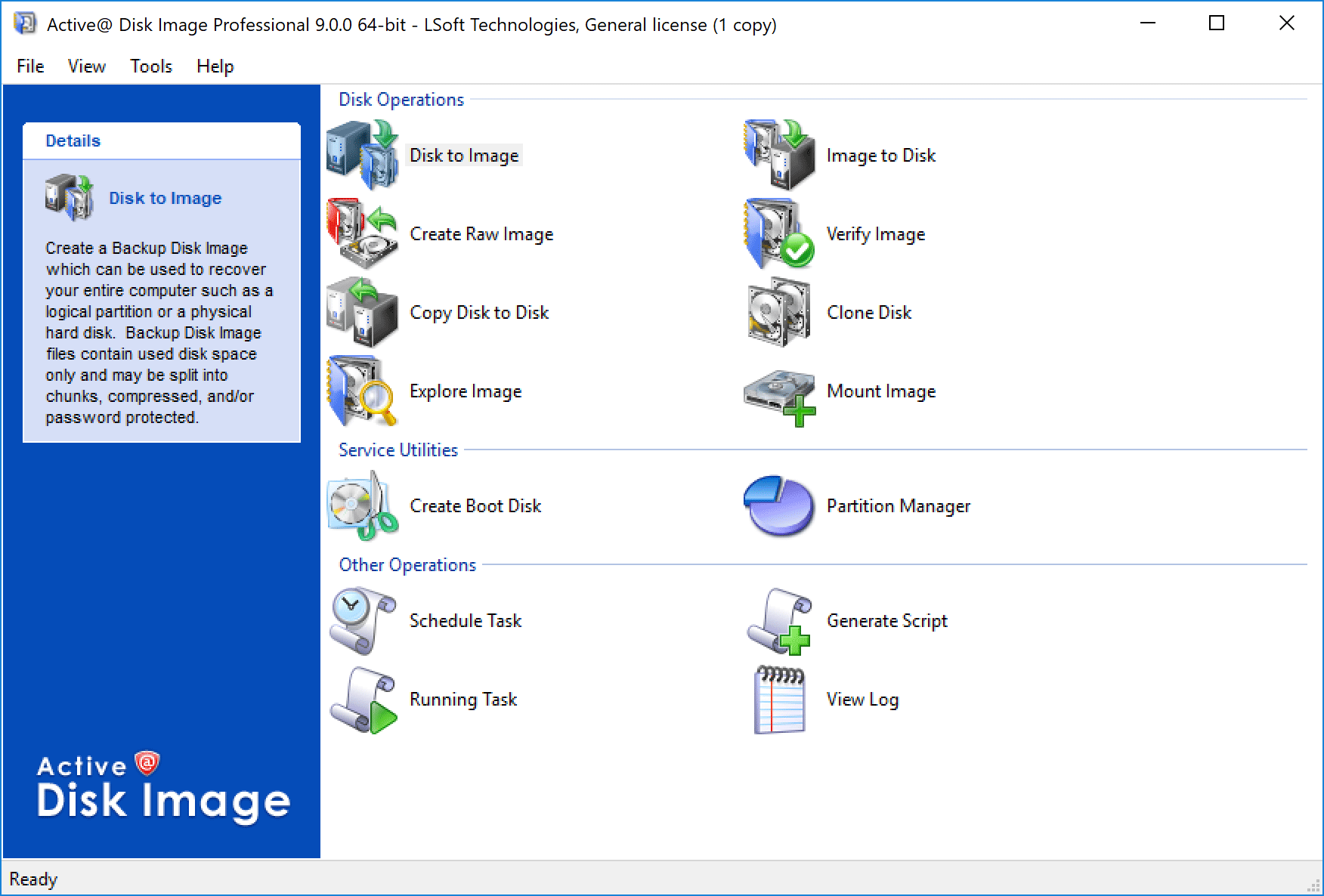
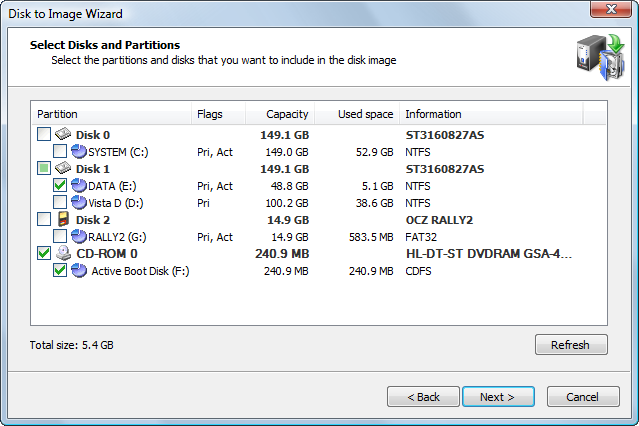
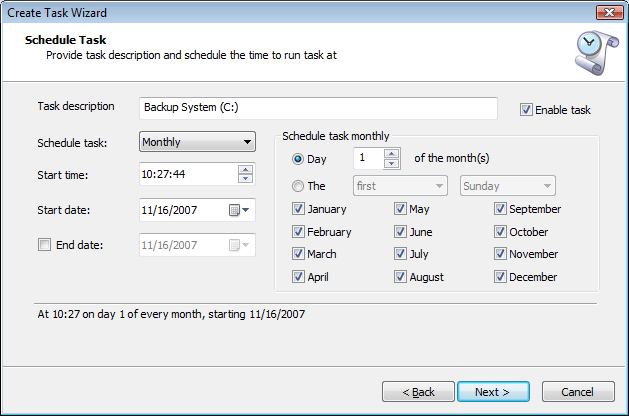
Disk Image software screenshot
 
Windows versions supported: Others:
Windows 7 / Vista / Server 2003 / Server 2008 / XP /
Small Business Server 2011
Old Windows, Linux, FreeBSD, Solaris for PC, etc. can be backed up by Raw Disk Image mode after booting up from Active@ Boot Disk Lite *.
 
    Starter ver. Standard ver. Pro ver.
disk image software Create Backup Disk Image (occupied clusters only) disk image software disk image software disk image software
disk image software Create Raw Disk Image (sector by sector copy)   disk image software disk image software
disk image software Bootable Disk. CD, DVD, USB stick. disk image software disk image software disk image software
disk image software Image Compression (Normal and High) disk image software disk image software disk image software
disk image software Image Encrypting (AES-128, AES-192, AES-256)     disk image software
disk image software Scheduled backups   disk image software disk image software
disk image software Incremental Scheduled backups     disk image software
disk image software Windows Servers are supported disk image software disk image software disk image software
disk image software Rescue Bootable Media disk image software disk image software disk image software

More features

Read More: Backup Your System with Disk Image Software

Backup Your System with Disk Image Software

Disk image software is the perfect tool for thoroughly backing up the data on your hard disk or other media. Active@ Disk Image provides the tools you need in a user-friendly package

Keeping your data safe is essential since there are many situations in which things can go wrong and important data can be unwittingly deleted.

Although there are many different data backup solutions available out there, disk image software provides one of the most thorough and effective ways of backing up data.

Active@ Disk Image is one of the leading solutions for disk image software and it makes an exact and complete copy of almost any kind of media such as a hard disk drive, flash drive or optical media. The disk image is then stored in a folder on your chosen target media and you can use this for reliably duplicating the entire contents of the disk. No longer do you have to worry about losing data in the event of a computer failure.

Active@ Disk Image is a versatile and user-friendly tool providing you with two different methods of creating disk images and safely backing up your data.

The backup disk image method is used for backing up the entire contents of a computer or any other kind of media. However, using this method only duplicated the occupied sectors of the disk, rather than making an image which includes blank sectors as well.

This allows you to conserve space on the target media. Active@ Disk Image is also able to create raw disk images containing a completely identical and accurate copy of absolutely every sector on the disk.

This is useful for backing up computers running systems other than Microsoft Windows. It is also useful for the recovery of data in the future, using software like Active@ Undelete.

Unlike most other disk image software, Active@ Disk Image supports almost any type of media including CDs, DVDs, dual-layer DVDs, Blu-ray disks, USB flash drives, flash memory cards, FireWire devices, network drives, Jaz and Zip drives, HD-DVD and, of course, any type of hard disk.

The software also includes an automatic scheduling component which can automatically create and update disk images, doing all of the hard work for you. It also supports bootable disks, whether they are hard disks, USB mass storage devices or any other kind of media.

Active@ Disk Image supports a wide range of systems for maximum versatility. Reliable and user-friendly, Active@ Disk Image supports tablet PCs and netbooks running the Windows 7 Basic edition as well as full server systems running either Windows 2003 or Windows 2008 Server editions.

For regular home desktops and laptop computers, Windows XP to Windows 7 are supported, including 64-bit editions.

You can find out more about the system requirements as well as a full list of product features at http://www.disk-image.net/.

There is also an extensive user guide which provides tips, tricks and detailed walkthroughs to help you get the most out of this powerful disk image software. The walkthroughs provide screenshots to make them easier than ever to follow. Pay a visit to the website today and make sure that your computer and other media is safely and securely backed up!

Jeff Ford
uses disk image software in his business to ensure that data is safely backed up at the end of every working day

Disk Image Users Guide &. Sales Questions

1. Product Overview 6 Restoring a Disk Image

Sales Questions

1.1 Overview and List of Features 6.1 Selecting a Disk Image to Restore 1. May I try the software before purchasing it?
1.2 System Requirements 6.2 Selecting a Whole Disk or a Partition 2. How can I get an update to the latest version of Active@ Disk Image?
1.3 Supported File Systems 6.3 Restoring a Partition 3. Do you charge sales/VAT tax?
2. Using Active@ Disk Image 6.4 Restoring a Whole Disk 4. What is the difference between an "update" and an "upgrade"?
2.1 Main Program Window 6.5 Restoring a Raw Disk Image

Technical Questions

2.2 About Disk Image Types 6.6 Burning an ISO Image 1. Does Active@ Disk Image support Windows 2003/2008 Server/SBS (Small Business Server)?
2.3 Working with Basic or Dynamic Disks 6.7 Restoring a Floppy Image 2. How do I make a Rescue bootable CD?
2.4 Incremental and Differential Images 7 Viewing and Restoring Individual Files 3. Can a Backup Disk Image be restored to a disk using another size rather than its original size?
3 Creating a Disk or Partition Image 7.1 Opening an Image in Disk Image Explorer 4. Can a Disk Image be written to CD, DVD or Blu-ray disk?
3.1 Selecting a Backup Type 7.2 Active@ Disk Image Explorer Interface  
3.2 Selecting Disks and Partitions 7.2 Active@ Disk Image Explorer Interface  
3.3 Choosing a Backup Location 7.3 Restoring Individual Files  
3.4 Setting Image Options 8 Clone Disk Wizard  
3.5 Creating Several Images at once 8.1 Selecting a Source Disk or Partition  
3.6 Confirming the Disk Image Details 8.2 Cloning a Partition  
4 Creating a Raw Disk Image 8.3 Cloning a Whole Disk  
4.1 Selecting a Disk or a Partition 9 Copy Disk to Disk Wizard  
4.2 Choosing a Backup Location 9.1 Selecting a Source Disk or Partition  
4.3 Setting Image Options for a Raw Disk Image 9.2 Copying a Partition  
4.4 Confirming the Raw Disk Image Details 9.3 Copying a Whole Disk  
5 Verifying a Disk Image Archive 10 Other Operations  
5.1 Selecting a Backup for Verification 10.1 Viewing the Log File Details  
5.2 Confirming the Verify Details 10.2 Scheduling a Task  
  10.3 Changing Program Settings  
  10.4 Saving Hardware Information  
  11 Troubleshooting  
  11.1 FAQ (Frequently Asked Questions)  
  11.2 Technical Support